DxO Photolab for Beginners
DxO Photolab 10 is here! An overview.
Photo workshops in Yosemite National Park: https://yosemitephotoworkshops.com/
Photo Gallery: https://philhawkinsphoto.com/
Print Fulfillment: https://phil-hawkins.pixels.com/
Facebook: https://www.facebook.com/PhilHawkinsPhotography
Instagram: https://www.instagram.com/phil_hawkins_photo/
Photoshop Course for Beginners: https://www.youtube.com/playlist?list=PLHmJXsEQKv7dpCtitCPIOSWPbPoI2QxZO
email for Questions: wt27514b@gmail.com
DxO PhotoLab 10 introduces several powerful new features and improvements designed to make image processing faster, easier, and more precise.
DxO PhotoLab 10 is here—but is it worth upgrading?
In this overview, I examine the most important new features in DxO PhotoLab 10 and discuss whether the performance improvements justify the upgrade price. Although some of the biggest changes may not be immediately visible, PhotoLab 10 delivers noticeably faster performance, greater stability and more responsive editing tools. It simply feels smoother and more efficient throughout the entire RAW-processing workflow.
One important consideration: there has been no major change to DeepPRIME XD3 noise reduction. If improved noise reduction is your primary reason for upgrading, you may decide to remain with your current version. For me, however, the substantial performance and workflow improvements make PhotoLab 10 a pleasure to use.
New and improved features covered in this video include:
• Faster, more stable overall performance
• Improved AI-powered masking with greater speed and accuracy
• The new Depth Mask for isolating areas according to distance and depth
• More precise control over foreground and background adjustments
• Potential creative applications for focus-stacking workflows
• Elliptical Control Point masks that can be reshaped and rotated
• New Control Brushes for selecting irregularly shaped subjects
• New color-control options
• Improved local adjustments
• Third-party applications as custom export destinations
• Workflow upgrades in the PhotoLibrary section
• Automatic sensor-dust removal
I also discuss the DxO PhotoLab 10 system requirements and the importance of having the right computer hardware. Fast SSD storage, adequate free drive space, sufficient system memory and a capable graphics processor can make an enormous difference in PhotoLab’s responsiveness.
For the best performance, I recommend keeping your SSD below approximately 75% capacity and using at least 32 GB of system RAM. Windows users should also pay close attention to GPU performance and consider a graphics card with at least 8 GB of VRAM. My own system is a MacBook Pro M2 with 32 GB of RAM, and PhotoLab 10 runs exceptionally well.
A new DxO PhotoLab 10 license is approximately $250, while the upgrade is approximately $130 at the time of recording. Whether you should upgrade depends on the version you currently use, the features you need and how important faster performance is to your photography workflow. One advantage of DxO’s licensing model is that you can continue using an older version if it still meets your needs.
DxO PhotoLab has become an indispensable part of my professional photography business, so I upgrade every year. For occasional users, however, the decision may be different.
I’ll be producing detailed DxO PhotoLab 10 tutorials covering the new features—especially Depth Mask, AI masking, Control Brushes and the improved local-adjustment tools—so subscribe and stay tuned!
#DxOPhotoLab10 #DxOPhotoLab #RAWProcessing
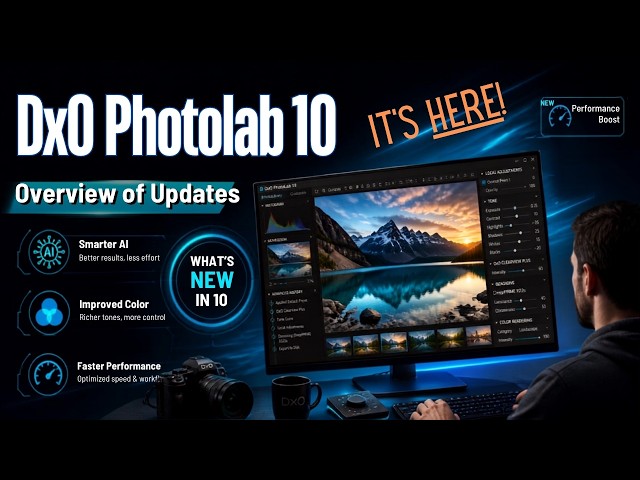
Photo Gallery: https://philhawkinsphoto.com/
Print Fulfillment: https://phil-hawkins.pixels.com/
Facebook: https://www.facebook.com/PhilHawkinsPhotography
Instagram: https://www.instagram.com/phil_hawkins_photo/
Photoshop Course for Beginners: https://www.youtube.com/playlist?list=PLHmJXsEQKv7dpCtitCPIOSWPbPoI2QxZO
email for Questions: wt27514b@gmail.com
DxO PhotoLab 10 introduces several powerful new features and improvements designed to make image processing faster, easier, and more precise.
DxO PhotoLab 10 is here—but is it worth upgrading?
In this overview, I examine the most important new features in DxO PhotoLab 10 and discuss whether the performance improvements justify the upgrade price. Although some of the biggest changes may not be immediately visible, PhotoLab 10 delivers noticeably faster performance, greater stability and more responsive editing tools. It simply feels smoother and more efficient throughout the entire RAW-processing workflow.
One important consideration: there has been no major change to DeepPRIME XD3 noise reduction. If improved noise reduction is your primary reason for upgrading, you may decide to remain with your current version. For me, however, the substantial performance and workflow improvements make PhotoLab 10 a pleasure to use.
New and improved features covered in this video include:
• Faster, more stable overall performance
• Improved AI-powered masking with greater speed and accuracy
• The new Depth Mask for isolating areas according to distance and depth
• More precise control over foreground and background adjustments
• Potential creative applications for focus-stacking workflows
• Elliptical Control Point masks that can be reshaped and rotated
• New Control Brushes for selecting irregularly shaped subjects
• New color-control options
• Improved local adjustments
• Third-party applications as custom export destinations
• Workflow upgrades in the PhotoLibrary section
• Automatic sensor-dust removal
I also discuss the DxO PhotoLab 10 system requirements and the importance of having the right computer hardware. Fast SSD storage, adequate free drive space, sufficient system memory and a capable graphics processor can make an enormous difference in PhotoLab’s responsiveness.
For the best performance, I recommend keeping your SSD below approximately 75% capacity and using at least 32 GB of system RAM. Windows users should also pay close attention to GPU performance and consider a graphics card with at least 8 GB of VRAM. My own system is a MacBook Pro M2 with 32 GB of RAM, and PhotoLab 10 runs exceptionally well.
A new DxO PhotoLab 10 license is approximately $250, while the upgrade is approximately $130 at the time of recording. Whether you should upgrade depends on the version you currently use, the features you need and how important faster performance is to your photography workflow. One advantage of DxO’s licensing model is that you can continue using an older version if it still meets your needs.
DxO PhotoLab has become an indispensable part of my professional photography business, so I upgrade every year. For occasional users, however, the decision may be different.
I’ll be producing detailed DxO PhotoLab 10 tutorials covering the new features—especially Depth Mask, AI masking, Control Brushes and the improved local-adjustment tools—so subscribe and stay tuned!
#DxOPhotoLab10 #DxOPhotoLab #RAWProcessing
-
DxO Photolab 10 is here! An overview.
-
The Tool Bar of DxO Photolab
-
Photolab 10 Library Tab
-
The Customize Tab
-
Modules – Updated for version 8
-
The History States
-
Photolab’s Histogram
-
Photolab 10 integration with Affinity. Why you shouldn’t waste your time.
-
DxO Photolab Affinity-3.3
-
Adjusting Exposure
-
Duplicating an Image
-
High ISO Photos: DeepPRIME vs Old Methods — See the Difference
[Elite_video_player id="1"]
[Elite_video_player id="2"]
[Elite_video_player id="3"]